
Appearance
How to select pathways Pathway graph
Selecting pathways efficiently is key to leveraging the Pathway graph for in-depth analysis. This feature allows you to load pathways of interest into the Pathway graph, as well as into the Volcano and PCA plots for a analysis.
Choosing a pathway
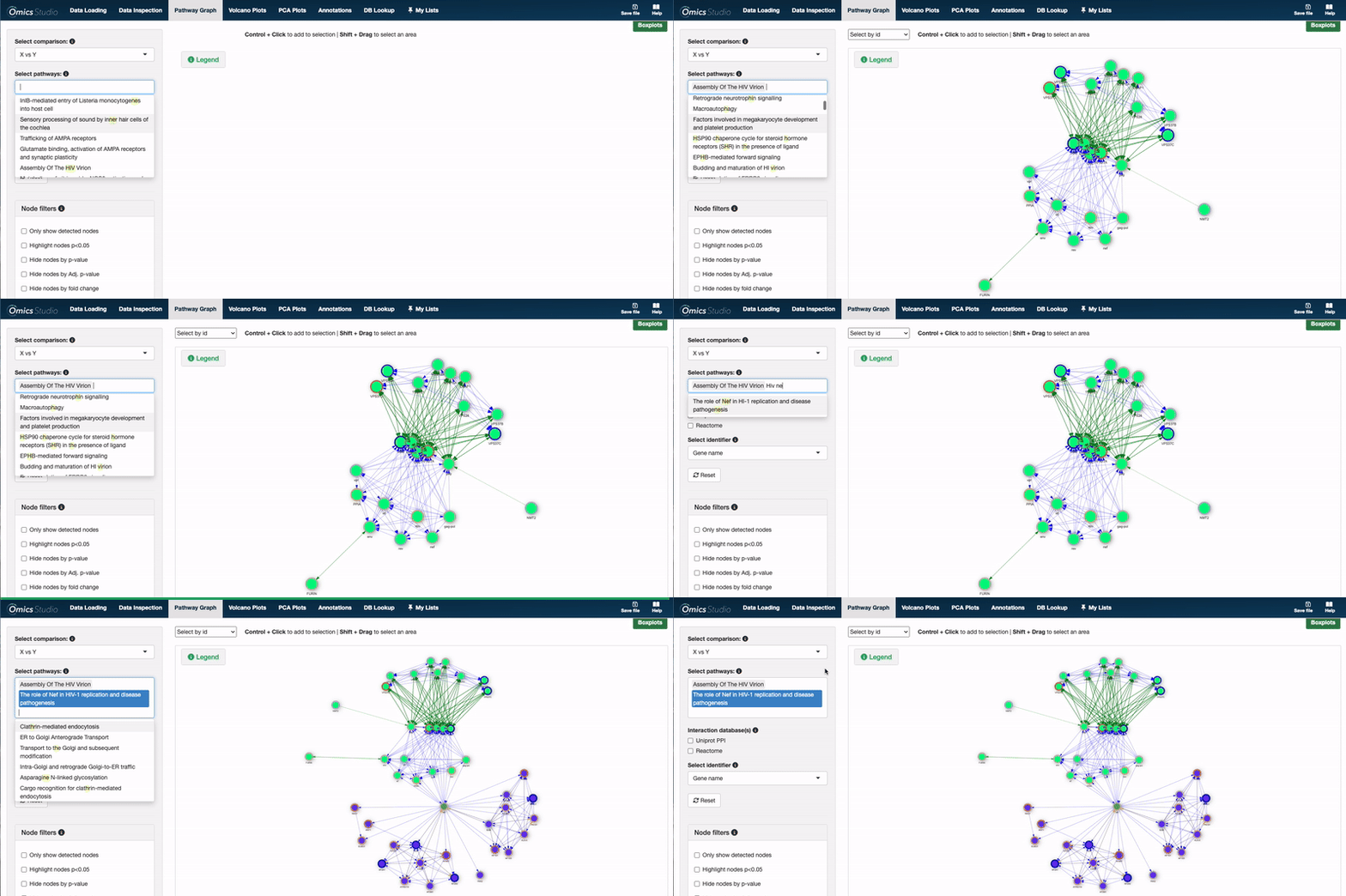
First click on Select pathways. A list of pathways will emerge, here you can choose between the different pathways from Reactome, which have been annotated with related expressions. Now, simply click on a pathway, and it will appear in the graph view.
Choosing multiple pathways
You can easily select multiple pathways simultaneously within the Pathway graph, enabling a broader comparative analysis. Note that interaction between pathways can be represented by shared nodes (e.g., proteomics) expression or be calculated using the chosen interaction database if one has been chosen.
💡 Good to know
There is two ways to select the pathway(s):
- Use the keyboard to search and the mouse to select the nodes, or
- Use the keyboard to search and select the nodes by hitting Enter to choose
For guidance on interpreting the Pathway graph, please visit this link.